Your Real Estate Foundation
You've just completed Week 1. In six days, you've gone from "what can AI do for real estate?" to having a complete, repeatable system for creating professional listing packages with AI. Let's take a moment to lock in what you've built — and set you up for Week 2.
Today is about consolidation. We'll recap every key skill, look at the numbers, and give you a challenge to put it all into practice before Monday.
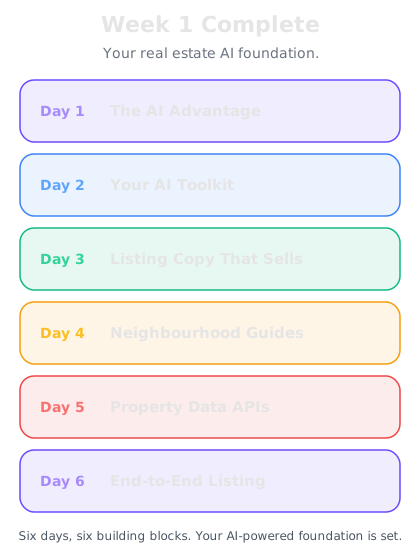
What you've built this week
Let's walk through each day and the skill it gave you:
Day 1: Why AI is a game changer — You understood the core concept: AI is a multiplier, not a replacement. The same listing package that takes 2-3 hours without AI takes 30 minutes with it. That's not a small efficiency gain — it's a fundamental shift in how you run your business.
Day 2: Your AI toolkit — You set up ChatGPT (for writing), Claude (for detailed work), and Perplexity (for research). You know which tool to use for which task, and you have them on your phone for on-the-go use.
Day 3: Writing listings that sell — You learned the anatomy of a compelling listing: headline hook, emotional opening, feature-benefit pairs, lifestyle close, and call to action. You have prompt templates for luxury, family, investment, and first-time buyer properties.
Day 4: Neighbourhood descriptions — You can now create area guides that cover transport, schools, dining, green space, and local character. You know that buyers buy the neighbourhood as much as the house, and you have the prompts to sell both.
Day 5: Property data APIs — You discovered the data sources that power the industry: Land Registry, Zoopla, Zillow, Redfin, Domain, CoreLogic. You learned how to feed this data into AI for instant analysis and pricing recommendations.
Day 6: Your first AI listing — You put it all together into a complete workflow: property brief to MLS listing, social media post, buyer email, and highlight sheet in 30 minutes.
The numbers that matter
Let's talk about what this actually means for your business:
Time saved per listing: If you create a listing package (description, social post, email, highlight sheet) once a week, you're saving roughly 1.5-2 hours per listing compared to doing it manually. That's 6-8 hours per month back in your calendar.
Quality improvement: AI-generated listings are consistently polished. No more rushing the fourth listing of the day, no more writer's block at 9pm before a listing goes live. Every property gets your best work.
Consistency across your portfolio: When you use the same prompts and workflows, every listing maintains the same professional standard. Your brand becomes recognisable across portals and marketing channels.
Speed to market: A property that goes live with professional marketing on Day 1 attracts more interest than one that trickles out with a basic description and a "full details to follow." AI lets you launch comprehensively from the start.
Client impression: Hand a vendor a listing package within 24 hours of instruction — complete with a polished description, social media plan, and market data analysis. That's the kind of service that wins referrals.
Common questions from Week 1
"Will buyers know it's AI-written?"
Not if you personalise it properly. AI creates the structure and polish; you add the local knowledge, personal voice, and specific details. The result sounds like a well-written agent description — because that's exactly what it is. You directed it.
"What if AI gets facts wrong?"
It will, sometimes. That's why the review step is non-negotiable. AI might call a "leasehold" property "freehold," or place the nearest station at the wrong distance. Always check facts against reality. AI drafts, you verify.
"Should I tell clients I use AI?"
That's your call. Most agents don't announce it, just as most writers don't announce they use spell check. AI is a tool that helps you produce better work faster. If clients ask, be honest — most are impressed, not concerned.
"Can I use AI for the description on the actual MLS/portal listing?"
Absolutely. Just ensure accuracy and compliance with your portal's guidelines. The copy AI produces is yours — you prompted it, you edited it, you approved it.
Your Week 1 challenge
Before you start Week 2, here's a practical challenge to cement everything:
Create a complete listing package for a real property.
Pick a property you're currently marketing, or one you recently sold. Go through the full workflow:
1. Write your property brief (all the raw details)
2. Generate an MLS listing description using AI
3. Create an Instagram or Facebook caption
4. Draft a buyer email
5. Create a property highlight sheet
6. If you have comparable sales data, paste it into AI and get a pricing analysis
Time yourself. You should be able to complete the entire package in under 30 minutes. If it takes longer, that's fine — you'll get faster with practice.
Bonus challenge: Create a neighbourhood guide for the area using the Day 4 prompts. Add it to your listing package.
This isn't homework for homework's sake. This is building the muscle memory that makes AI a natural part of your workflow rather than an extra step.
What's coming in Week 2
Next week, you're going to take everything you've built and expand it into full property marketing:
Day 8: Social Media Content for Properties — Platform-specific content strategies for Instagram, Facebook, LinkedIn, and TikTok. Batch-creating a week of posts in minutes.
Day 9: Email Campaigns That Convert — Automated email sequences for buyers, vendors, and your database. Nurture campaigns, new listing alerts, and market updates.
Day 10: Virtual Staging and Visual Content — Using AI to create virtual staging prompts, floor plan descriptions, and visual marketing materials.
Day 11: Client Communication Mastery — Vendor updates, buyer negotiation emails, difficult conversations, and complaint responses — all handled with AI assistance.
Day 12: Open House and Viewing Materials — Creating viewing schedules, property information packs, and follow-up sequences.
Days 13-14: Marketing Systems — Building repeatable marketing workflows that run on autopilot for every new listing.
You've built the foundation. Week 2 turns it into a marketing machine.