Your AI Toolkit for Recruitment
Yesterday you learned why AI is a game changer for recruiters. Today, you're going to set up the tools you'll use throughout this course.
The good news: you don't need to spend anything to get started. The free versions of these tools are powerful enough to transform how you source candidates, screen CVs, write messages, and manage your hiring pipeline.
Let's get you set up.
The three tools you need
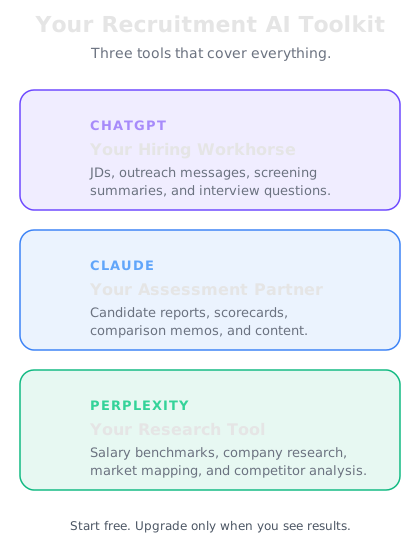
There are hundreds of AI tools out there, but as a recruiter, you only need three to cover everything in this course:
1. ChatGPT (by OpenAI) — Your main workhorse. This is what you'll use for writing job descriptions, crafting outreach messages, screening CVs, generating interview questions, and creating candidate summaries. The free version is excellent. The paid version ($20/month) is faster, handles longer documents, and can process uploaded CVs directly.
2. Claude (by Anthropic) — Your second option and a strong alternative. Claude is particularly good at longer, more nuanced tasks — like comparing a candidate's full career history against a detailed job spec, or writing comprehensive hiring manager updates. Also free to start.
3. Perplexity — Your research tool. Unlike ChatGPT and Claude, Perplexity searches the internet in real time. Use it to research companies before reaching out to their employees, check current salary benchmarks, understand market trends, or find out what competitors are offering. Free plan is generous.
Which tool for which task
Here's a quick reference for when to reach for each tool:
Writing job descriptions — ChatGPT or Claude. Both are excellent at transforming a basic brief into a compelling, inclusive job description that attracts the right candidates.
Screening CVs and applications — ChatGPT or Claude. Paste the job spec and the CV, and get a structured assessment in seconds. Claude handles longer documents slightly better.
Candidate outreach messages — ChatGPT. Fast, great with tone, and handles personalization well. Perfect for InMails, cold emails, and follow-ups.
Interview questions and scorecards — Claude or ChatGPT. Both generate role-specific questions and structured scoring rubrics. Claude tends to produce more detailed, nuanced output.
Salary and market research — Perplexity. Need to know what Senior Engineers earn in Berlin? Or what benefits a competitor is offering? Perplexity pulls current information with sources.
Company research before outreach — Perplexity. Before reaching out to someone at a target company, research their recent news, funding, and growth to personalize your approach.
Setting up in 10 minutes
Here's exactly how to get started — do this now or after your next batch of candidate calls:
Step 1: ChatGPT — Go to chat.openai.com. Sign up with your email or Google account. Download the ChatGPT app on your phone. You'll use this between interviews, on the commute, or when a hiring manager pings you with an urgent brief.
Step 2: Claude — Go to claude.ai and create an account. Also available as a mobile app. Having both means you've always got a backup, and you'll quickly learn which tool you prefer for different tasks.
Step 3: Perplexity — Go to perplexity.ai and sign up. The mobile app is excellent for quick research on the go — checking a company before a client meeting or looking up a candidate's previous employer.
Pro tip for recruiters: Pin the ChatGPT or Claude app next to your LinkedIn app on your phone. When a hiring manager sends an urgent brief at 5pm, you can draft a job description and sourcing plan in 10 minutes flat.
Free vs. paid — when to upgrade
Start free. Don't pay for anything until you've placed a candidate faster because of AI.
The free versions handle everything in Week 1 and most of Week 2. When you're consistently saving hours per week, that's when upgrading makes sense.
ChatGPT Plus ($20/month): Faster responses, longer context window (handles longer CVs and JDs), file upload for processing CVs directly. Worth it if you're using it daily across multiple roles.
Claude Pro ($20/month): More usage allowance and access to the most capable model. Worth it if you're doing detailed candidate assessments and complex comparisons regularly.
Perplexity Pro ($20/month): More searches, better sources, file upload. Worth it if you're doing heavy market research, salary benchmarking, or business development.
The rule: If AI saves you 5 hours per week and your billable rate is $50/hour, that's $1,000/month in reclaimed productivity. The $20 subscription pays for itself in the first afternoon.