Your AI Toolkit for Real Estate
Yesterday you saw what AI can do for your real estate business. Today you're going to set up the actual tools. By the end of this lesson, you'll have your AI toolkit ready to go — and you'll know exactly which tool to reach for in every situation.
The good news: the most powerful tools are either free or have generous free tiers. You don't need to spend hundreds on software to get started.
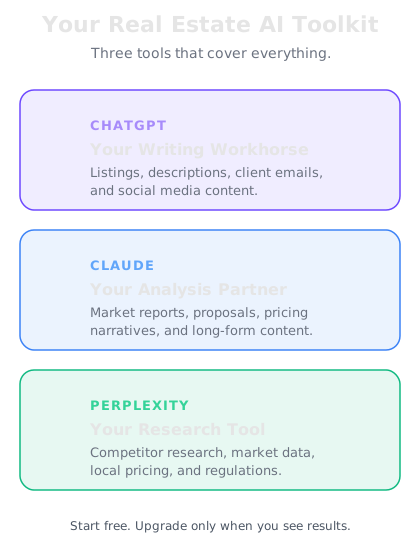
Your three core AI tools
You need three types of AI tool in your toolkit, and each serves a different purpose:
ChatGPT (by OpenAI) — Your workhorse for writing. Listing descriptions, client emails, social media posts, marketing copy. ChatGPT excels at generating polished, persuasive text quickly. The free plan is surprisingly capable. If you upgrade to Plus ($20/month), you get faster responses and access to the latest models.
Claude (by Anthropic) — Your tool for longer, more nuanced work. Claude handles detailed market reports, lengthy property descriptions, and complex analysis particularly well. It's excellent at following specific formatting instructions and maintaining a consistent tone. Free tier available, with Pro at $20/month.
Perplexity — Your AI-powered research assistant. Unlike ChatGPT and Claude, Perplexity searches the web in real time and cites its sources. Use it for market research, competitor analysis, area statistics, and anything where you need current, verifiable data. Free plan available, Pro at $20/month.
Which tool for which task
Here's your quick reference guide. Pin this somewhere visible:
For writing listings and marketing copy → ChatGPT or Claude. Both are excellent. Try both and see which voice you prefer. Many agents use ChatGPT for quick drafts and Claude for longer, more detailed pieces.
For client emails and communication → ChatGPT or Claude. Feed in the situation ("vendor wants an update, we've had 3 viewings, one second viewing booked") and get a professional email in seconds.
For market research and competitor analysis → Perplexity. Ask it "What are average house prices in Bondi Beach?" or "What's the rental yield in Manchester M1?" and get current data with sources.
For data analysis and reports → ChatGPT or Claude. Feed in property data (sold prices, listing prices, days on market) and ask for analysis, trends, or a formatted report.
For neighbourhood and area guides → Start with Perplexity for facts (schools, transport, amenities), then use ChatGPT or Claude to turn those facts into compelling copy.
Setting up your tools — 10 minutes
Let's get everything installed. Do this now:
Step 1: ChatGPT
Go to chat.openai.com and create a free account. Download the mobile app (iOS or Android) — you'll use this constantly when you're out at viewings or meeting clients. The mobile app lets you take a photo and ask ChatGPT about it, dictate prompts by voice, and work on the go.
Step 2: Claude
Go to claude.ai and create a free account. Claude also has a mobile app — grab it. Claude's interface is clean and straightforward, and it handles long documents particularly well.
Step 3: Perplexity
Go to perplexity.ai and create a free account. The mobile app is excellent for quick research when you're on the road. You can ask it questions and get sourced answers instantly.
That's it. Three accounts, three mobile apps, ten minutes. You're set up.
Property data sources — your secret weapon
Beyond the three AI tools, there's a fourth piece of the puzzle that most agents overlook: property data APIs. These are databases that give you access to real market data — sold prices, listing histories, rental yields, and price trends.
You don't need to be technical to use these. Over the course, we'll show you exactly how to access and use this data. For now, here's what's available:
UK agents:
- HM Land Registry — Free access to sold price data for every property transaction in England and Wales
- Zoopla — Property estimates, listing data, and area statistics
- Rightmove — The dominant property portal with market trend data
US agents:
- Zillow API — Zestimates, listing data, and market trends
- Redfin — Sold data, price history, and market analytics
- Realtor.com API — Listing data and property details
Australian agents:
- Domain API — Listing data and property estimates across Australia
- CoreLogic — The gold standard for Australian property data and analytics
On Day 5, we'll do a deep dive into how to access and use these data sources. For today, just know they exist — they're what will separate your market reports from everyone else's.
A quick tip on AI prompts for real estate
You'll learn detailed prompting techniques over the next few days, but here's one principle that will immediately improve your results:
Give AI the context it needs. The biggest mistake agents make is being too vague. "Write me a listing" gives you a generic result. But watch what happens when you provide context:
"Write a listing description for a 2-bedroom apartment in Surry Hills, Sydney. It's on the top floor of a boutique block, has a private rooftop terrace with city skyline views, polished concrete floors, and floor-to-ceiling windows. The target buyer is a young professional or downsizer. Tone should be sophisticated but not stuffy. Keep it under 200 words."
That prompt gives AI everything it needs to produce something you'd actually use. Property details, location, target buyer, tone, and length. The more specific you are, the less editing you'll do.